Is the ship built
as designed?
ARMS works out where the camera stood in your image, redraws the ship’s 3-D CAD model from that exact spot, and names every part that is missing, moved or resized — or tells you it cannot tell.
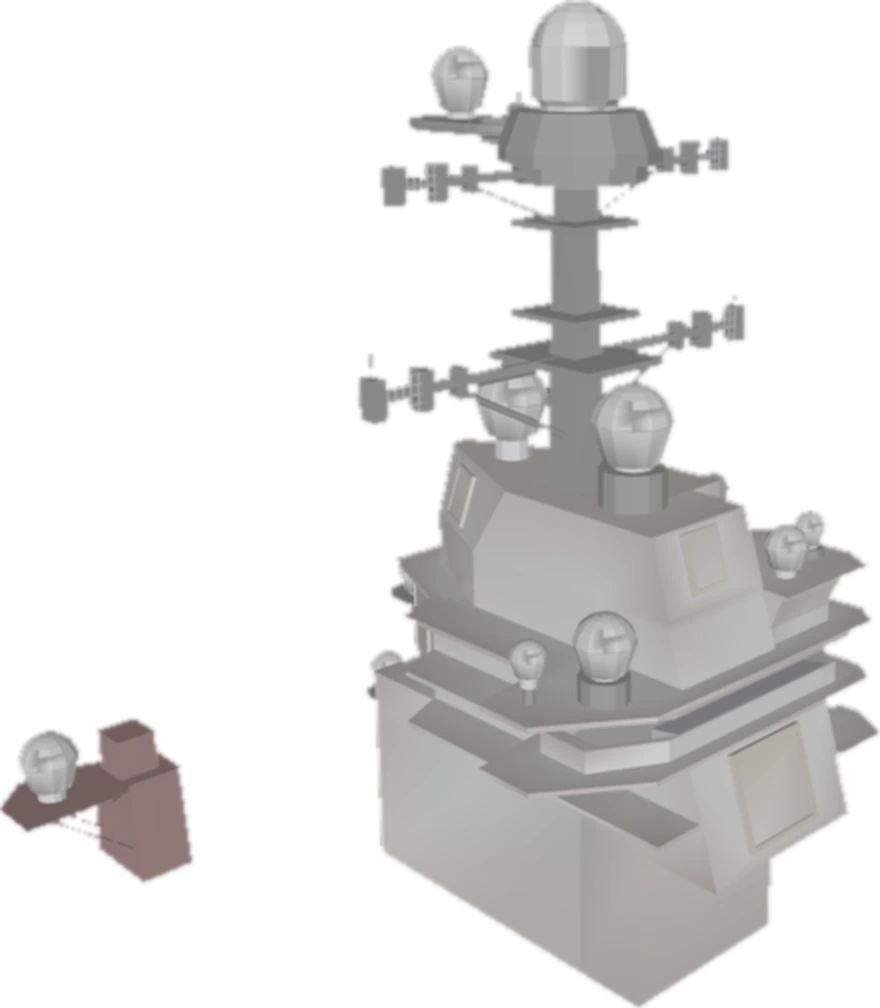
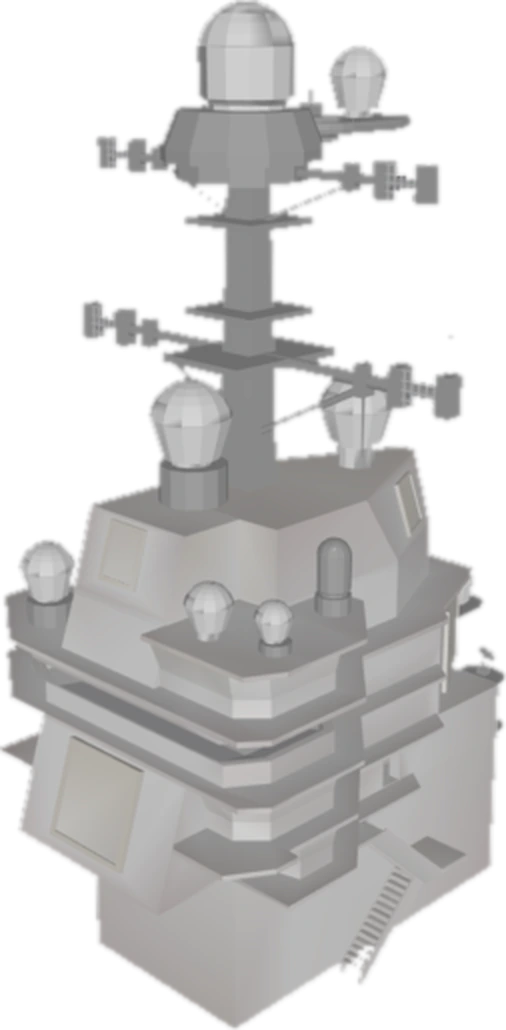
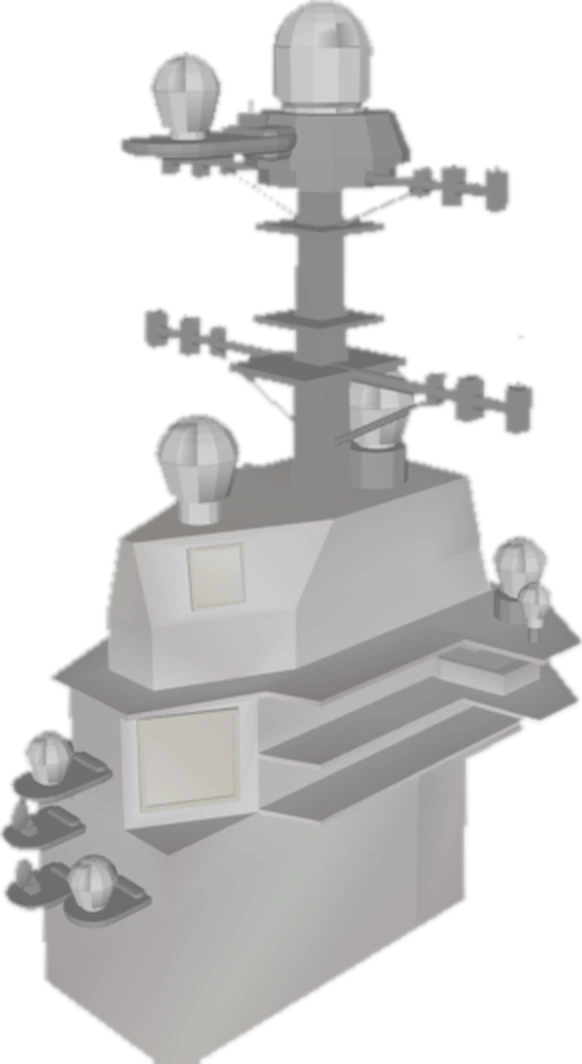
Examples are instant. Your own images use a free shared GPU with a small daily allowance per visitor.
What ARMS found
AI settings — use your own key
No key addedThe AI report and assistant run on your account with the provider you choose, so they use your tokens. Your key goes only with your AI requests, is used for that call and is never stored on the server.
AI report
Download
Run an inspection, then get a detailed plain-language report of it. Written by the model you choose in AI settings, from the measured numbers only — it never sees the image itself.
Ask the assistant
Compare a ship with its design, from a single image
ARMS is a computer-vision project that checks a ship against its 3-D CAD design. To compare a picture with a design, you first need to know where the camera was. ARMS solves that from the image alone, redraws the design from that viewpoint, and then judges each part separately.
If it cannot verify the camera, it says “cannot tell” — it does not guess. Today it checks the island, the tower on the flight deck, of USS Gerald R. Ford, using the ship’s public CAD model.
Inspect an image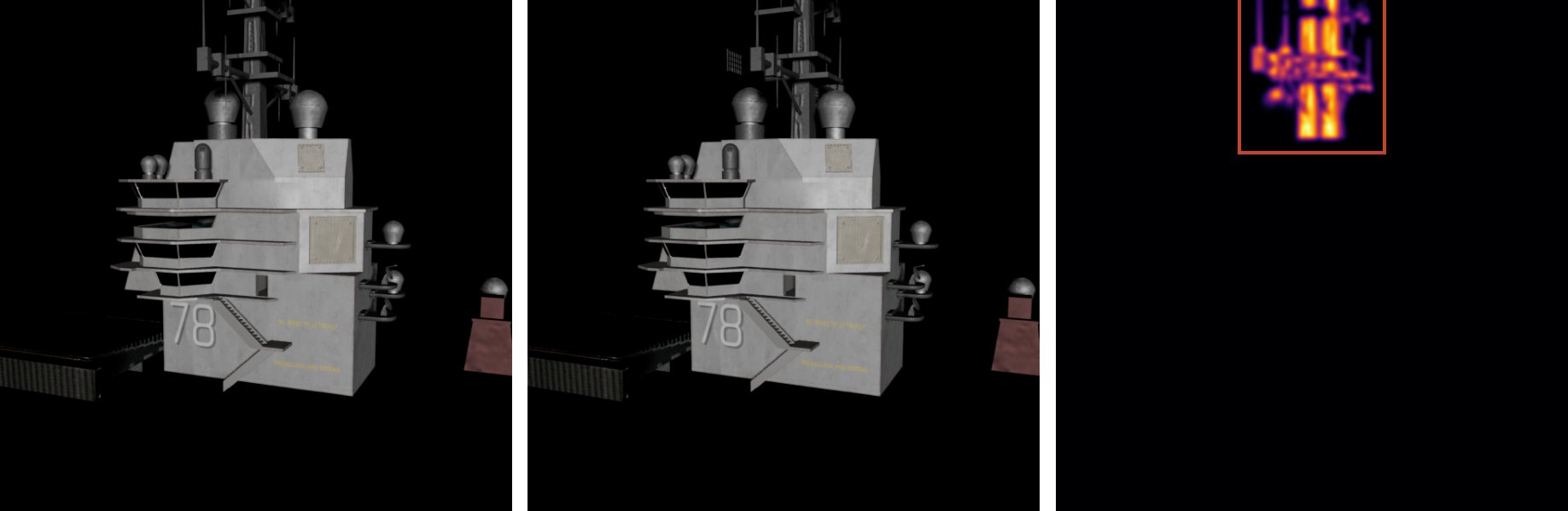
The CAD drawn from the found camera (left), a picture with one radar moved 2 m (middle), and the difference (right).
Missing, moved and resized parts
Measured by changing one part at a time in a render, 30 renders for each kind of change, so the right answer is always known.
Missing parts
A part removed from the render.
found
Moved parts
A part shifted by 2 m or by 1 m.
found at 2 m · 19 / 30 found at 1 m
Resized parts
A part made smaller or bigger.
smaller · 16 / 30 bigger. Size measured exactly in 6 of 8 cases.
Unchanged parts wrongly flagged: 2 of 153.
How ARMS is different
Built to say “cannot tell” before it says something wrong.
Refuses instead of guessing
If the camera cannot be verified, no part is judged. 0 of 10 photos of other ships and towers were accepted.
Checks the camera first
Outline overlap of at least 0.67 and inner detail within 2.9 must both pass before any part is judged.
Two ways to judge a part
Brightness against camera noise, and SAM 2.1’s outline of the part. Where one cannot judge, the other decides.
Works across renderers
Camera found for 12 of 12 test renders and 5 of 5 renders made in Blender, a different program with different lighting.
Before / after mode
Two images from the same camera: only the parts that changed between them. 3 of 3 found with 0 false alarms on the one pair tested.
Measures how big
Flagged parts are redrawn from 0.70 to 1.30 times their size; the best fit is reported. Exact in 6 of 8 cases.
Explains itself
A plain-language AI report and an assistant, written from the measured numbers only, plus a downloadable report.
Runs on your own GPU
Download the bundle and run the same site on your own computer, then change the code.
From one image to a part-by-part report
Upload
A render or photo of the island. Or two images from the same spot for a before / after comparison.
Find the camera
SuperPoint and LightGlue match your image to 80 reference views of the CAD; PnP solves the camera and lens, which is then verified or refused.
Compare
The CAD is redrawn from the verified camera and every visible island part is judged by brightness and by SAM outline.
Read the report
Flagged parts with evidence and size, an AI explanation, and a report you can download or share.
The 80 reference views, rendered from the CAD around the island
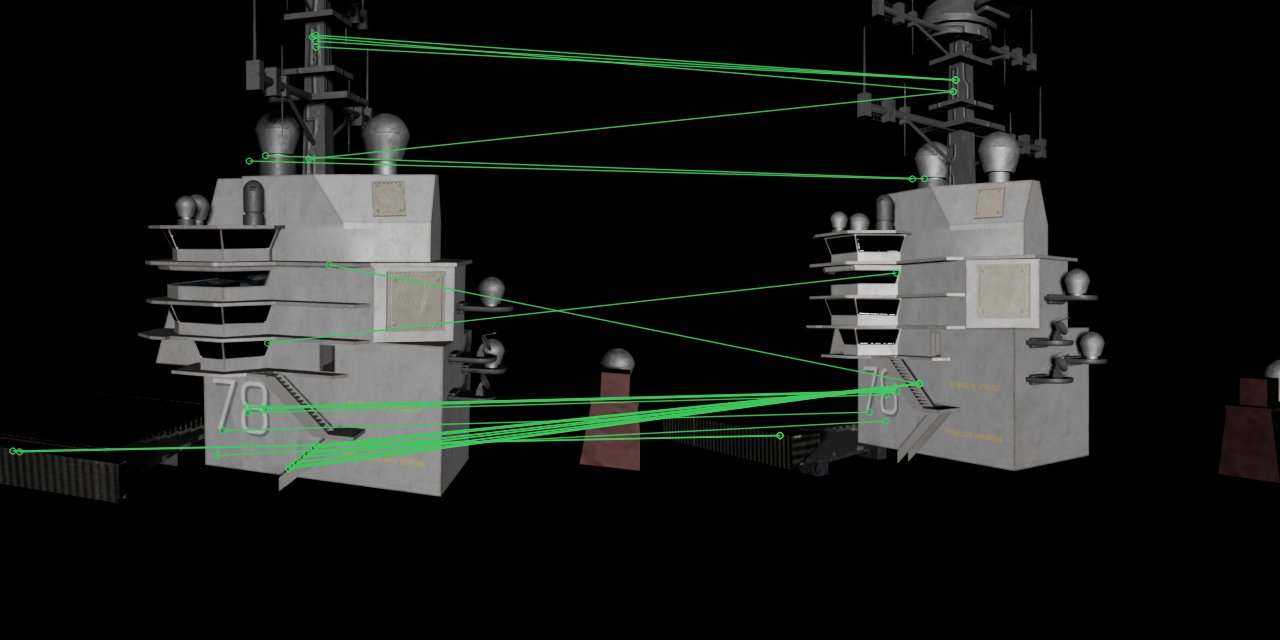
Matching: the same points found in a test picture (left) and a reference view (right).

Five Blender renders, with the 3-D model drawn in orange from the camera ARMS found.
The pipeline in detail, and a glossary
Tested where the right answer is known
Every number here comes from a test whose answer was known in advance.
new viewpoints: camera found, typical error 0.16 m and 0.13°
Blender renders located — another program, lighting and shading
unchanged parts wrongly flagged
photos of other ships and towers accepted
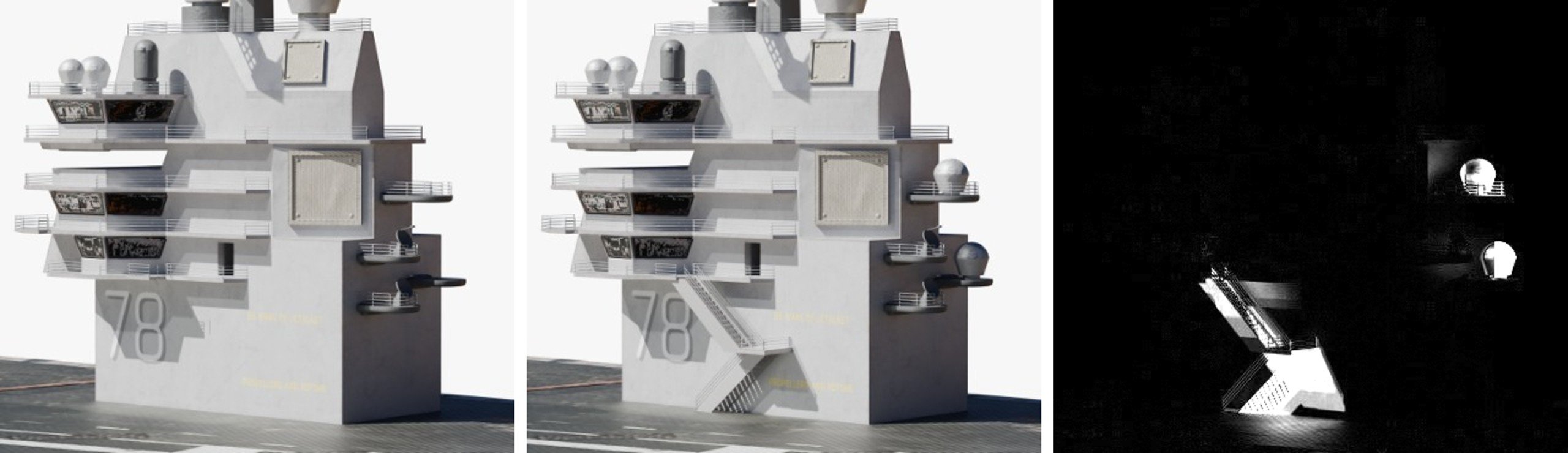
Before / after.
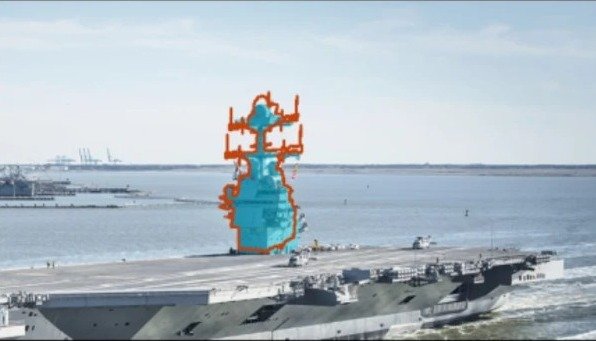
USS Gerald R. Ford: passed every check. Orange: CAD outline. Blue: island outline found in the photo.
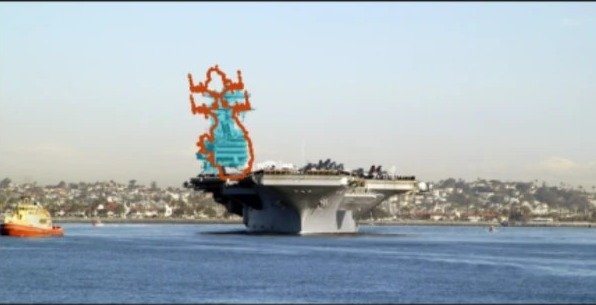
USS Carl Vinson, not the Ford: refused.
Limits
Next steps
Run ARMS on your own machine
A website cannot run this pipeline inside your browser — it needs a GPU, a 3-D renderer and several AI models. Download the bundle to run the same site on your computer and GPU, and to change the code.
Download
The app, the engine, the examples, the project figures and the ship’s CAD model (CC-BY-4.0). No API key inside.
Download bundle · 65 MBStart
Unzip, then run the start script. The first start installs everything (5–10 min) and opens the site.
bash ARMS/arms_live/start_mac_linux.sh
# Windows: ARMS\arms_live\start_windows.bat
AI features (optional)
Paste your own key in AI settings on the page (Groq, OpenAI, Claude, Gemini and others), or put a Groq key in arms_live/.env:
GROQ_API_KEY=your_key_here
| Machine | GPU used | Status |
|---|---|---|
| Apple Silicon Mac | Apple GPU (MPS) | Tested — where the app was built |
| Hugging Face Space | ZeroGPU + CPU renderer | Tested — this website |
| Linux + NVIDIA | CUDA, EGL renderer | Same setup as the project’s Kaggle notebooks; app not yet tested there |
| Windows, CPU-only | — | Not tested |
The project
ARMS checks whether a ship matches its 3-D design using a single image. It was built by Prince Yadav (B.Tech Computer Science, AI) on the USS Gerald R. Ford aircraft carrier and its public CAD model. The experiments are in the project’s notebooks; this site runs the final method with the same measured thresholds.
The AI report and assistant use the language model the visitor chooses (Groq, OpenAI, Claude, Gemini and others) with the visitor’s own API key. They are given only the project facts and the numbers measured for your upload, never the image, and are told to say “not measured” rather than guess. Check their text against the measured result.
Ready to inspect a ship image?
Upload a render or photo of the island and get a part-by-part report, usually in under half a minute.
Try it for free